In SAP S/4HANA Public Cloud, access design is no longer a back-office administration task. It directly influences productivity, segregation of duties, audit readiness, and the speed at which users can operate. Poorly structured access models create unnecessary approvals, excessive privileges, provisioning delays, and recurring compliance findings.
Among the concepts that often create confusion are User Groups and Role Groups. They sound similar, but they solve two very different governance problems.
Understanding that distinction is essential for SAP administrators, security teams, auditors, and transformation leaders operating in a cloud-first SAP environment.
Two terms you’ll come across often are user groups and role groups. They sound similar, but they serve different purposes. Let’s break them down in a simple way.
Why This Topic Matters in SAP Public Cloud
Unlike traditional on-premise SAP landscapes, SAP S/4HANA Public Cloud follows a more standardized operating model. Customers are expected to adopt SAP-delivered frameworks for identity, authorization, and lifecycle administration rather than rely heavily on custom security constructs.
That means access governance must be designed with clarity from the start.
A weak model can lead to:
- Over-provisioned access rights
- Delays in user onboarding
- Complex remediation during audits
- Higher operational effort for security teams
- Increased SoD and sensitive access exposure
A well-structured model, however, enables scalable and defensible access governance.
What Are User Groups in SAP S/4HANA Public Cloud?
User Groups are administrative classifications used to organize and manage users efficiently. They are primarily used for user administration, filtering, ownership, and operational management.
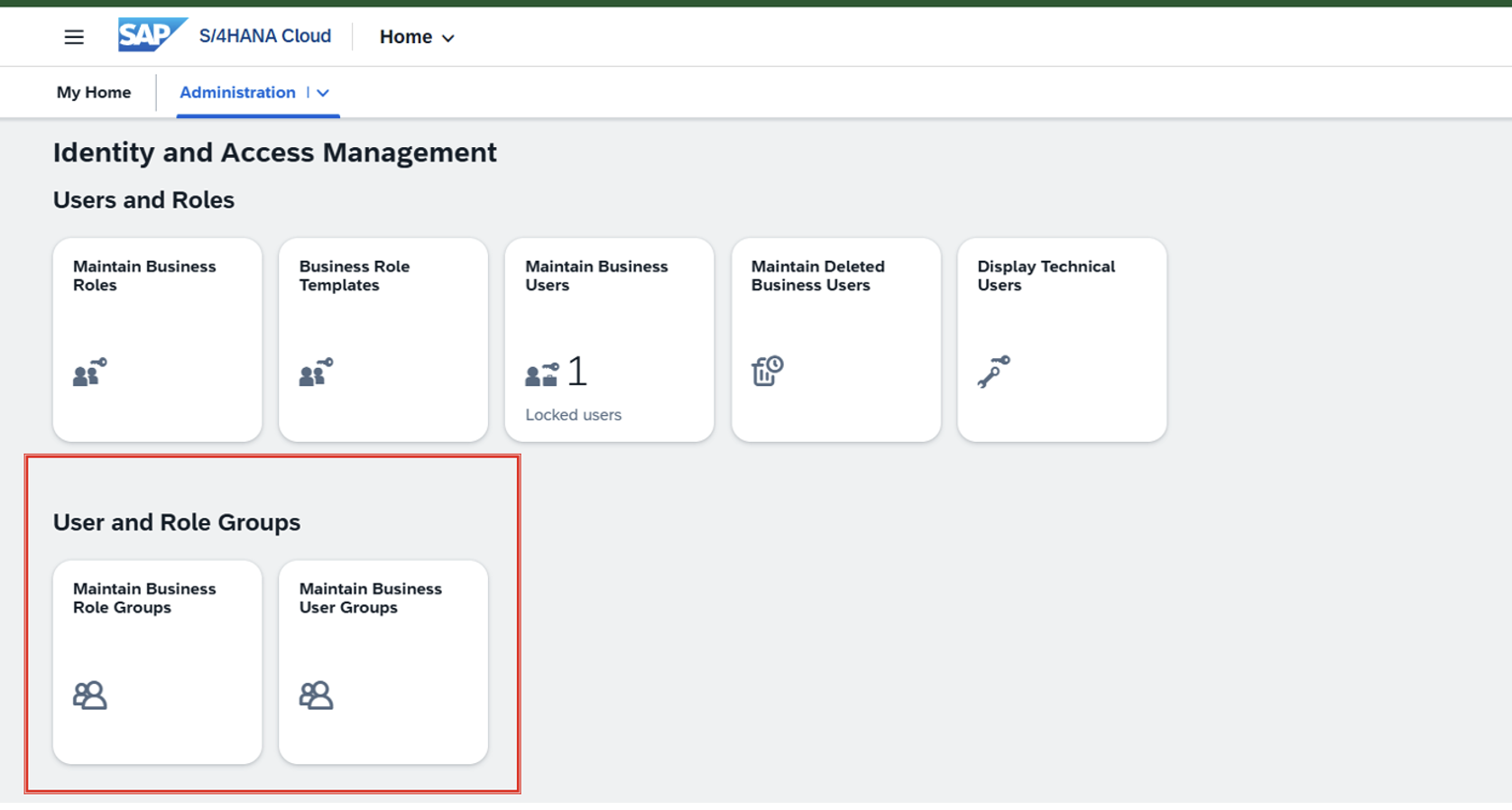 They help answer the question:
Who does this user belong with?
Typical grouping criteria include:
- Business function (Finance, Procurement, Sales)
- Geography (India, US, EMEA, APAC)
- Legal entity or company code ownership
- Shared service center teams
- Workforce type (Employee, Contractor, Partner)
What User Groups Do Not Do
User Groups do not define business transactions, Fiori apps, or authorization permissions. They are not the source of access rights.
Their value lies in governance and administration.
Example
A company may create a user group named:
FINANCE_INDIA_USERS
This allows administrators to quickly filter users, run reports, review ownership, or execute administrative actions for that population.
What Are Role Groups in SAP S/4HANA Public Cloud?
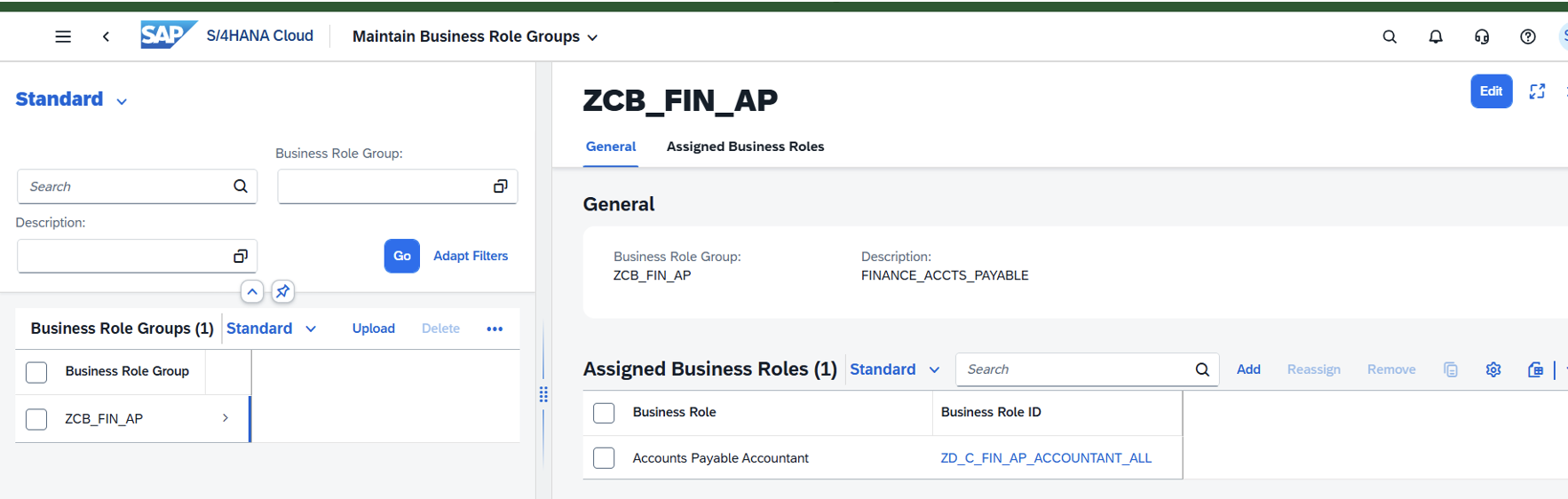
Role Groups are access delivery structures used to bundle multiple business roles together for assignment.
They help answer the question:
What should this user be able to do?
In SAP S/4HANA Public Cloud, access is typically structured as follows:
Business Role → Business Catalogs → Apps / Authorizations
A Role Group allows organizations to combine several relevant business roles into a reusable package aligned to a job function.
Example
A Role Group for Accounts Payable may contain:
- Supplier Invoice Processing
- Manage Suppliers
- Outgoing Payments
- Payment Proposal Monitoring
Instead of assigning each role separately, the administrator can assign the grouped package aligned to the user’s responsibilities.
This improves consistency and reduces provisioning effort.
User Groups vs Role Groups: The Core Difference
- User Group → Who the user is (organization)
- Role Group → What the user can do (permissions)
That’s the easiest way to remember it.
In well-governed environments, User Groups and Role Groups complement each other.
A common operating model looks like this:
- Users are classified into User Groups
- Standardized Role Groups are created for job functions
- Role Groups are assigned through approved workflows
- User Groups support reporting, ownership, reviews, and administration
- Periodic reviews validate whether assigned Role Groups remain appropriate
This separation improves maintainability and governance discipline.
Why Auditors and Security Leaders Care
From an audit and risk perspective, unclear access structures create control weaknesses. When organizations cannot easily explain why a user has access, who approved it, or whether it still aligns to their role, findings usually follow.
Strong User Group and Role Group design supports:
- Faster user access reviews
- Cleaner evidence for internal and external audits
- Reduced excessive access risk
- Better SoD governance
- Lower manual administration effort
- Easier scaling during growth or acquisitions
This is why mature enterprises treat role design as a control framework, not just an IT task.
Best Practices for SAP Public Cloud Access Design
Here are the best practices that one should impart before creating user/roles groups:
| Best Practice | Explanation |
|---|---|
| Align Role Groups to Real Jobs | Design around business responsibilities, not technical convenience. Access models should reflect how work is actually performed across finance, procurement, sales, and operations. |
| Keep Naming Standards Consistent |
Use clear and scalable naming conventions such as:
|
| Avoid Role Proliferation | Too many narrowly defined groups increase support effort, confuse administrators, and create unnecessary maintenance overhead over time. |
| Separate Conflicting Duties | Do not combine incompatible responsibilities into a single access package. This is essential for segregation of duties and fraud prevention controls. |
| Review Regularly | Business structures change faster than role models. Conduct periodic reviews to remove obsolete access and keep authorizations aligned with current responsibilities. |
| Use Governance Workflow | All assignments should follow formal approval workflows with documented evidence, ownership, and audit traceability. |
Common Mistakes to Avoid
Organizations frequently struggle when they:
- Use User Groups as a substitute for authorization design
- Create duplicate Role Groups with minor variations
- Keep obsolete access after job changes
- Ignore SoD conflicts during role bundling
- Lack ownership for role maintenance
These issues usually become visible during audits, incidents, or transformation programs.
Final Thoughts
In SAP S/4HANA Public Cloud, User Groups and Role Groups may appear to be small configuration elements, but they are foundational to scalable access governance.
- User Groups help you manage people.
- Role Groups help you control permissions.
When both are designed correctly, organizations gain faster onboarding, stronger security, cleaner audits, and lower administrative cost.
In modern SAP environments, access design is not just about authorizations. It is about governance, accountability, and operational resilience.